
Optimizing Your Google Business Profile to Rank for Local Grooming Searches
Why Your Google Business Profile Matters More Than Your Website
When someone in your city types "dog groomer near me" into Google, they aren't scrolling through websites, they're looking at the map pack. That three listing block at the top of local search results drives more booked appointments than almost any other marketing channel for independent groomers. Your Google Business Profile (GBP) is what determines whether you're in that map pack or buried on page two.
The good news: most groomers have barely touched their profile beyond adding a phone number. A few hours of deliberate optimization puts you ahead of the majority of your local competition. This guide covers exactly what to do, in priority order.
Claim and Verify Your Profile First
You can't optimize what you don't control. Go to business.google.com and search for your business. If it already exists (Google often auto generates profiles from public data), claim it. If it doesn't, create it from scratch.
Verification is typically done by postcard, though phone and video verification are available for some accounts. The postcard takes 5 to 7 business days and contains a PIN you'll enter in your dashboard. Don't skip this step, unverified profiles have limited visibility and you can't respond to reviews.
If you operate from home and don't want your address public, select the service area option. You can list the cities or postal codes you serve without displaying your home address. Mobile groomers in particular should use this setting.
Fill Out Every Section: Completely
Google rewards completeness. A profile at 100% completion outperforms a sparse one, all else being equal. Work through each section methodically:
- Business name: Use your exact legal or operating name. Don't keyword stuff it (e.g. "Best Dog Groomer Toronto. Fluffy Paws Grooming"). Google will suspend profiles that do this, and it looks unprofessional to clients.
- Category: Set your primary category to Pet Groomer. Add secondary categories like Dog Trainer or Pet Supply Store only if those genuinely apply to your business.
- Hours: Keep these accurate and update them for holidays. Inaccurate hours are one of the top reasons clients leave negative reviews.
- Phone number: Use a number you actively answer. A missed call from a potential client who found you on Google is a client who calls the next groomer on the list.
- Website: Link to your booking page if you have one, rather than just your homepage. The fewer clicks between "I found you" and "I booked," the better your conversion rate.
- Description: You get 750 characters. Use the first 250 to describe what makes your business worth choosing, your specialty breeds, certifications (NCMG, ICMG, etc.), years of experience, or the fact that you're a low stress or cage free salon. Mention your city and the breeds you specialize in naturally within the text.
- Services: Add individual services with descriptions and prices. List them specifically: "Full groom, includes bath, blow dry, haircut, nail trim, ear cleaning." Add your add ons (deshedding, teeth brushing, anal gland expression). Pricing ranges are fine if your rates vary by breed.
- Attributes: Check every applicable attribute. "Women owned," "LGBTQ+ friendly," "by appointment only," "accepts credit cards", these show up in search results and matter to specific client segments.
Photos: Volume and Quality Both Matter
Profiles with more than 100 photos get significantly more views and direction requests than those with fewer than 10. That's not a number to ignore. Start building your photo library systematically:
- Before/after grooms: These are your most powerful photos. A matted Goldendoodle transformed into a clean teddy bear cut tells a client everything they need to know about your skill level. Get client permission before posting.
- Your space: Clean, well lit shots of your table, tub, and grooming area. Clients want to see where their dog will be spending two hours.
- Your tools and equipment: A photo of a well organized station with quality equipment (HV dryer, professional shears, a tidy blade lineup) signals professionalism to anyone who knows what they're looking at, and even to those who don't.
- You working: A photo of you midgroom, scissoring a Poodle topknot or hand stripping a terrier, builds trust and personality faster than any written description.
Shoot photos in good natural light when possible. You don't need a professional photographer. A modern smartphone in a well lit space produces more than adequate results. Upload a minimum of 5 to 10 new photos per month to keep the profile active.
Reviews: How to Get Them and What to Do With Them
Review count and average rating are among the strongest ranking signals for local search. A groomer with 80 reviews at 4.8 stars will nearly always outrank a groomer with 12 reviews at 5.0 stars. You need volume, not perfection. Our guide on how to get more Google reviews has copyable scripts for every channel and reply templates for the hard reviews.
Asking for reviews without being awkward
The easiest method: send a follow up text message after the appointment. Something like: "Thanks for bringing [dog's name] in today, they look great! If you have a minute, a Google review helps other pet owners find us: [your review link]." Your review link is available in your GBP dashboard under "Get more reviews." Shorten it with bit.ly if needed.
Ask within 24 hours while the experience is fresh. Groomers who ask in person at pickup get the best response rates: the client is happy, the dog looks good, and they're already on their phone.
Responding to every review
Respond to all reviews, positive and negative. For positive reviews, personalize the response, mention the dog's name or the service. For negative reviews, stay factual and calm. A thoughtful, nondefensive response to a bad review often impresses prospective clients more than the negative review itself concerns them. Never argue publicly.
Google Posts: Free Real Estate Most Groomers Ignore
The Posts feature lets you publish updates directly to your GBP, they appear in your profile in search results. Most groomers never use this, which means using it puts you ahead immediately.
Post at least twice a month. Good post types for groomers include:
- Seasonal promotions (spring deshedding packages, pre holiday booking reminders)
- Breed spotlights ("Now accepting Bernedoodle clients, ask about our doodle pricing")
- Policy or hours updates
- Before/after photo features
Posts expire after 7 days (offers can be set longer), so a biweekly cadence keeps something current on your profile at all times. Each post can include a call to action button, set it to "Book" and link directly to your booking page.
Questions and Answers: Pre Answer What Clients Ask
The Q&A section on your GBP is public and editable by anyone, including people who don't know your business. Don't leave it to chance. You can post your own questions and answer them yourself.
Add answers to the questions you hear every week at pickup:
- "Do you accept walk ins?" (Probably no, say so clearly)
- "How long does a full groom take?" (Give a realistic range: 2 to 3 hours for most medium breeds)
- "Do you groom cats?" (Yes or no)
- "What's your cancellation policy?" (Link to your policy page if you have one)
- "Do you require vaccinations?" (State your requirements specifically)
Monitor this section weekly. Anyone can post a question, and unanswered questions look like a business that doesn't pay attention. Preloading common Q&As also reduces the number of phone calls you field asking the same five questions.
NAP Consistency Across the Web
NAP stands for Name, Address, Phone number. Google cross references your GBP data against other mentions of your business across the web. Yelp, Facebook, local directories, your website. Inconsistencies (different phone number on Yelp vs. Google, old address still on a directory site) create ranking friction.
Run a free audit at Moz Local or BrightLocal to see where your business information appears and whether it's consistent. Fix discrepancies manually, it's tedious once, but you only need to do it thoroughly one time.
Your website footer should display your business name, address (or service area), and phone number in plain text, not just in an image, so Google can read and match it.
What Happens After They Find You
Ranking in the local map pack gets eyes on your business. Converting those views into booked appointments requires a frictionless next step. If your GBP links to a booking page where clients can schedule online without having to call, your conversion rate goes up significantly, especially for evening and weekend searches when you're not available to answer the phone.
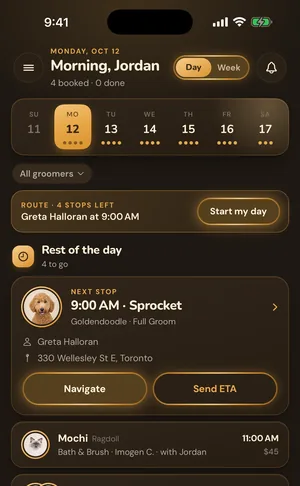
A clean online booking setup also means fewer double bookings, automated SMS reminders that reduce no shows, and client records that are there the next time you see the dog. If your back end isn't set up to handle the volume a well optimized GBP can drive, it's worth sorting that out. GroomBoard's online booking and SMS reminders (starting at $9/month) connect directly to a booking link you can use in your GBP, or you can start a free trial and set it up before your profile goes live.
For more on building the business infrastructure behind your marketing, How to Start a Dog Grooming Business in 2026: Complete Guide covers everything from pricing to software to legal setup. And if your rates haven't kept up with your skill level, How to Raise Your Grooming Prices Without Losing Clients walks through how to do it without losing your regulars.
Local SEO isn't a one and done task, but the foundation, a complete, active, well reviewed Google Business Profile, compounds over time. Groomers who put in the work now are still benefiting from it two years later.